
Punch lists · progress walks · safety
Construction punch list app: walk the job, say what's left
Report6 turns your narration and photos into a punch list with locations, assignees and closeout notes, ready to send as a PDF or DOCX from your iPhone or Android phone.


Available now on the App Store and Google Play · No checklist to fill out
Stop typing punch items one at a time
A punch walk can turn into hours of typing: the item, the photo, where it is, who owns it. With Report6 you record each item as you reach it and say what's wrong. The app captures a photo every second while you record, logs your GPS path, and transcribes your narration into findings and action items, each with its category and assignee.
By the time you're back at the trailer, the construction punch list is written. Review it, fix anything the narration missed, and send it.
How it works
A punch walk in three steps
-
1
Walk the job
Start a Construction Punch List report and record each item as you reach it. Photos and your GPS path are captured as you go.
-
2
Say what's left
Describe the defect or the unfinished work out loud. Report6 transcribes it and writes up the item with its photo and location.
-
3
Send it
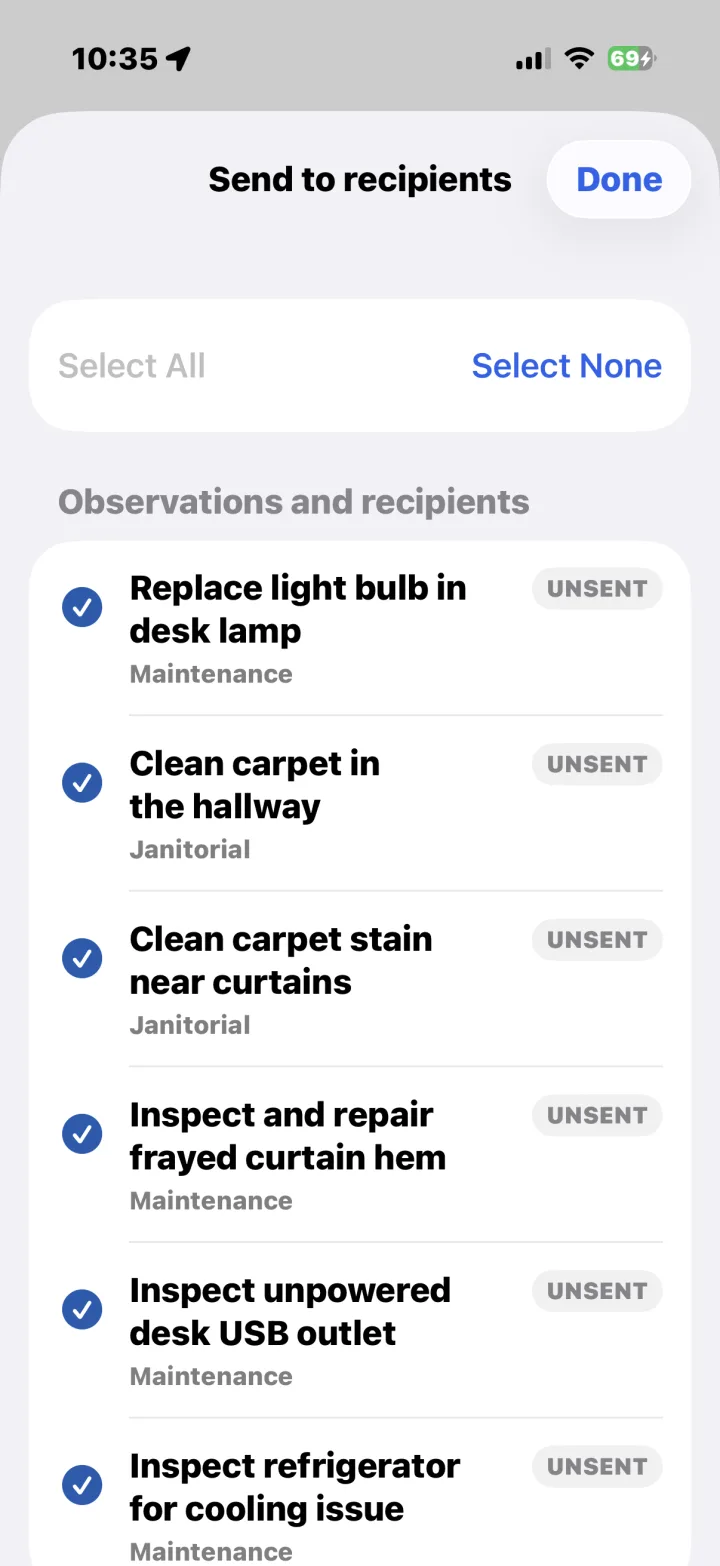
Review the list, send items to the right recipients, or share the whole punch list as a PDF, a DOCX file or a link.
Templates for the jobsite
Start from the template that fits the walk, or choose Free-form and just walk and talk. In a company (Enterprise) workspace, the app shows the templates your company has approved.
Construction Punch List
Capture incomplete work, defects, locations, and closeout notes.
Jobsite Progress Walk
Document progress, crews, deliveries, blockers, and next steps.
Safety / Hazard Inspection
Identify hazards, housekeeping issues, protective measures, and urgency.
Work Order Follow-Up
Verify completed work, remaining tasks, access issues, and tenant notes.
What the punch list includes
The finished report follows the same clean Report6 layout every time, so trades and owners know where to look.
- Each item with its photo and an auto-written description
- A route map with numbered photo pins
- Category and assignee on each item
- Findings with severity and action items
Shared links expire after 60 days, and you can send a new one any time. Personal reports live on your phone; after a 30-day editing window the report finalizes, and the recording, unused photos, full location trace and processing data behind it are deleted from the cloud. See the App Privacy Policy.
FAQ
Punch list questions
Can I use it for progress walks too?
Yes. The Jobsite Progress Walk template documents progress, crews, deliveries, blockers and next steps, and the Safety / Hazard Inspection template covers hazards and housekeeping.
Can a whole company use it?
Yes. Companies use a Report6 Enterprise workspace and review reports, recipients, templates and assignments at enterprise.report6.ai. For an Enterprise login, contact sales@patrol6.com.
Which phones does it run on?
Report6 is on the App Store for iPhone in the US, Canada, the UK, Australia and New Zealand, and on Google Play for Android. No other hardware is needed.
More ways to use Report6: site walk reports and property inspections.
Walk the job. Talk. Done.
Get Report6 on iPhone or Android and send your next punch list before you leave the site.
Report 6 is built and operated by Patrol 6, Inc.